
How To Set Up International Currency
Step by step instructions to setup international currency for BeeCastle
This article will run you through the steps required to setup international currency for your BeeCastle instance.
Overview
BeeCastle is used by customers in over 7 countries around the world, many of who use their local country currency. Now, admins can select a local currency from within BeeCastle, so that, all the currencies show in the relevant local currency.
Navigation
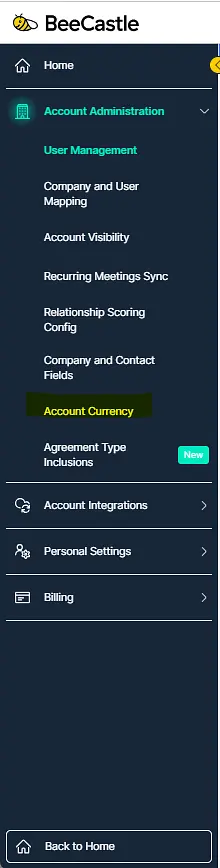
Account currency can be found from:
Settings > Account Administration > Account Currency
Selecting Currency
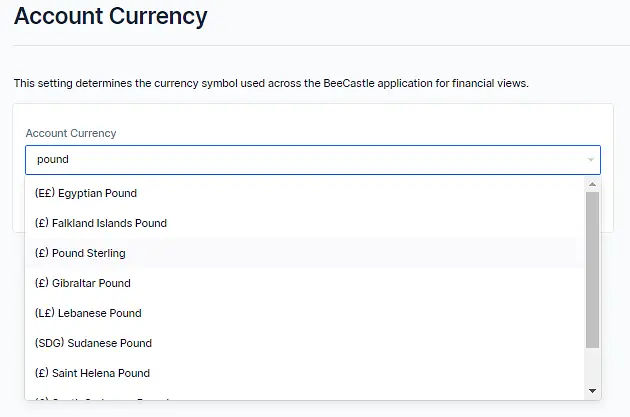
The following screenshots step you through how to select your localized currency.
For example, if you are based in the UK and you wanted to change to Pound Sterling, you can start typing into the select box and the options will appear which you can then select.
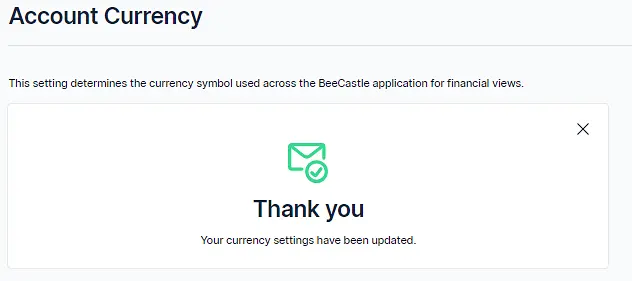
You will then receive this confirmation screen...
What You Will See
Now that you have selected "Pound Sterling" (in this example), you will see updated reports and dashboards with this currency symbol.
Below shows the updated data from Analyze Agreement Revenue...
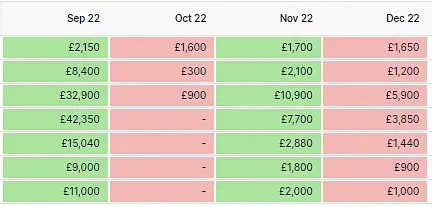
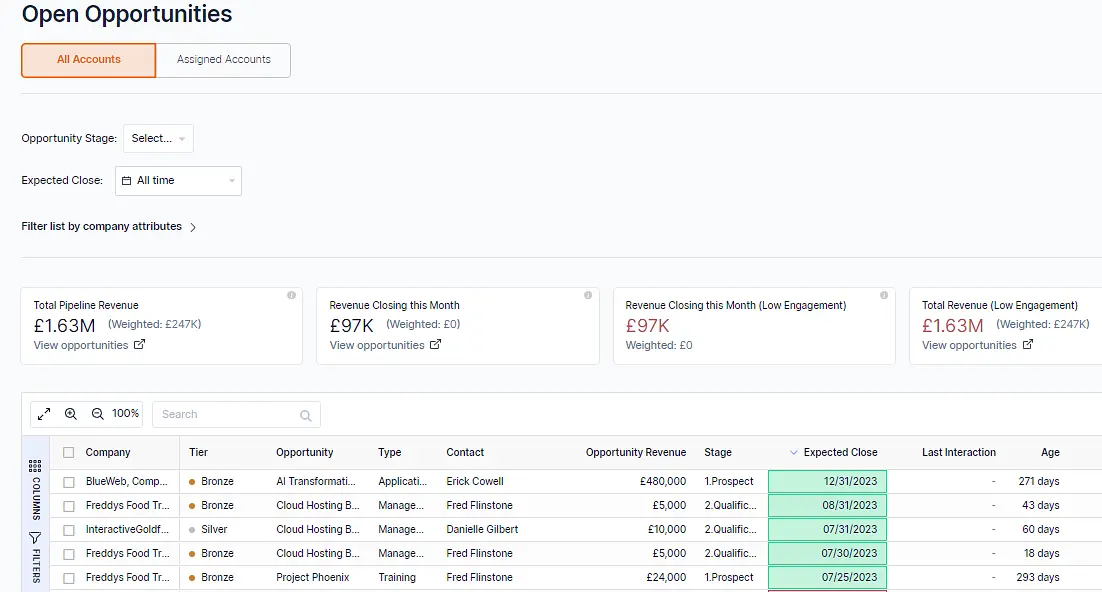
Similarly, on Open Opportunities, you will see updated values with the selected currency symbol.
If you have questions, need help or feedback, please contact us through the different channels listed here on our website.
Was this article helpful?
Related articles
Customer Profitability - Company Level
How-to-use guide for profitability on company page
Engage with BeeCastle featuresAccount Profitability - How To Use Guide
Track your organisation's aggregate profitability over time
Engage with BeeCastle featuresSetting reminders
Set reminders against accounts or contacts to make sure nothing slips
Engage with BeeCastle featuresPut your brand on your client pages
Add your logo and brand colour so the meeting pages you share with clients look like yours.