
Notes that sync with ConnectWise
Send BeeCastle notes to ConnectWise, bring ConnectWise notes in, and read the small icon on each note.
Notes your team writes in BeeCastle can now reach ConnectWise, and notes written in ConnectWise can show up in BeeCastle. Write a note once and it appears on the company, contact or deal in BeeCastle and on the matching record in ConnectWise.
One set of notes, in both places
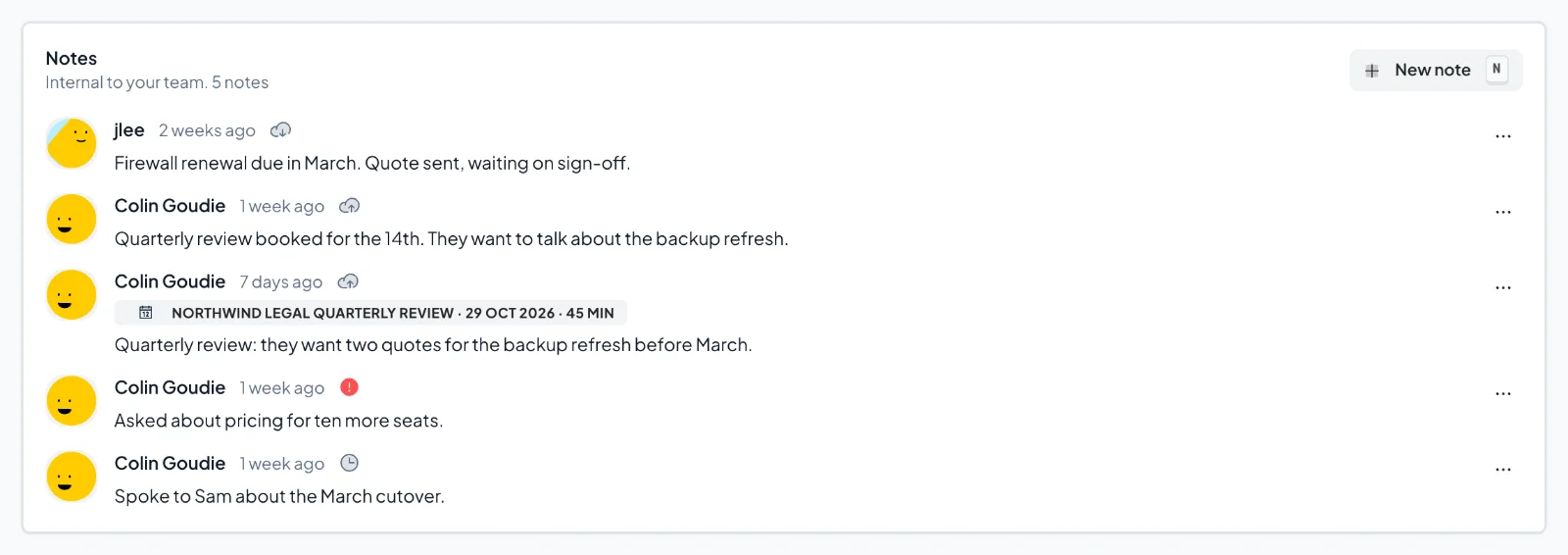
Open the Notes tab on any company, contact or deal. Notes from ConnectWise sit alongside your team's notes, and a small icon by the time on each one shows where it came from and whether it has reached ConnectWise. Hover over the icon to see the words.
Write a note as usual
Write and save your note the way you always do. BeeCastle sends it to the matching company, contact or opportunity in ConnectWise straight away. A grey clock by the time shows it's on its way, and it changes to a grey cloud with an up arrow once the note has arrived.
In ConnectWise the note starts with "From BeeCastle by" and your name, so everyone can see who wrote it. If you edit the note later, BeeCastle updates the same ConnectWise note rather than adding another.

Meeting and call notes go to the company
A note you write on a meeting or call goes to the company that meeting was with. Your summary of a quarterly review ends up on the company in ConnectWise, where your service team already looks.

Notes from ConnectWise
Notes written in ConnectWise come into BeeCastle on each sync, under the name of whoever wrote them in ConnectWise. They have a grey cloud with a down arrow by the time.
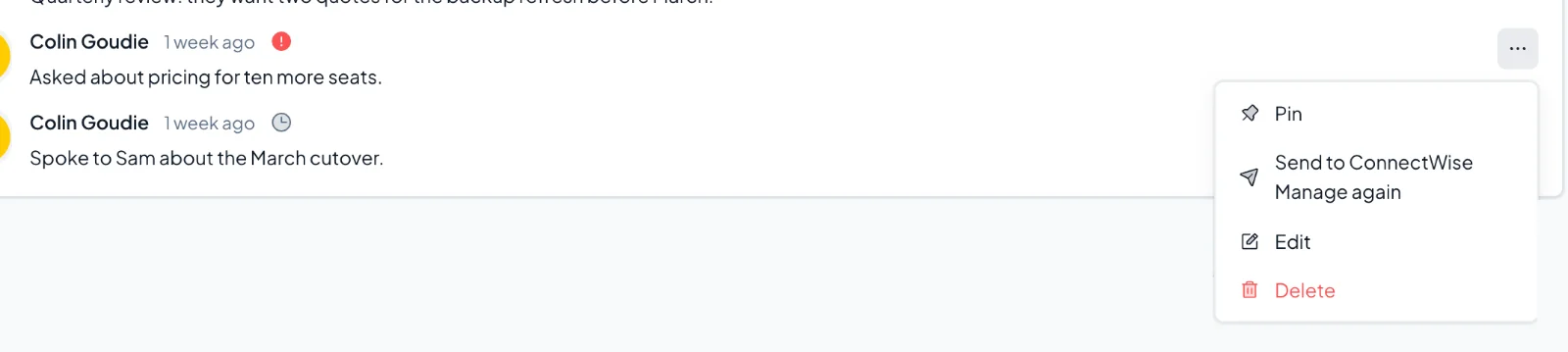
These notes are read-only in BeeCastle, so Edit and Delete are greyed out. Change them in ConnectWise and the change comes through on the next sync. If one is deleted in ConnectWise, it disappears from BeeCastle too.

If a note isn't sent
If a note can't be sent, it shows a red warning icon by the time. Hover over it or tap it to see why. Once the problem is sorted, open the note's menu and choose Send to ConnectWise Manage again.
Deleting a note in BeeCastle never deletes it in ConnectWise.
For admins: turning it on
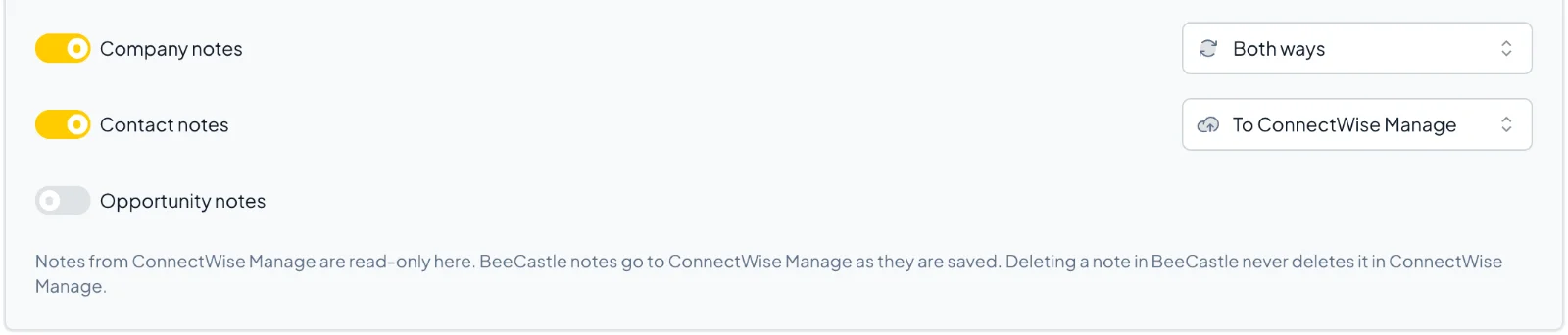
Note sync is turned on for your workspace by BeeCastle. Once it is, an owner or admin chooses which notes sync, and which way, under Settings > Integrations > ConnectWise Manage > Entities. Company, contact and opportunity notes each have their own setting: Off, To ConnectWise, From ConnectWise, or Both ways.
Your ConnectWise API member's security role needs Companies > Notes set to Add: All, Edit: All and Inquire: All. Delete isn't needed. The integration's Permissions tab checks these for you, under Notes.
Was this article helpful?
Related articles
How is BeeCastle's Company Tiering calculated?
An article that describes how the automated tiering of companies is calculated using ConnectWise data
ConnectWise IntegrationIntegrating BeeCastle with ConnectWise Cloud
4 quick steps to sync BeeCastle with CW Cloud
ConnectWise IntegrationIntegrating BeeCastle with ConnectWise On-Premise
6 steps to sync BeeCastle with your CW on-premise server
ConnectWise IntegrationBeeCastle and ConnectWise Integration FAQs
Understanding the BeeCastle and ConnectWise integration